VR 360 Chair Maintenance Guide: How to Keep Your Simulator Running 24/7


Introduction
A VR arcade can only make money when the machines are running.
For high-frequency devices like VR 360 Chairs, proper maintenance is not optional—it’s essential. Without it, even small issues can lead to downtime, lost revenue, and poor customer experience.
The good news? With a simple and consistent maintenance routine, you can keep your machines running smoothly and profitably around the clock.
Contact our technical team for professional VR simulator maintenance support.
Key Takeaways
Key Takeaways
- Daily inspection prevents most common VR equipment failures
- Proper maintenance extends the lifespan of VR 360 Chair simulator
- Cleaning and hygiene directly affect customer satisfaction
- Regular software updates ensure smooth gameplay experience
- Quick troubleshooting reduces downtime and revenue loss
- Combine this with VR arcade ROI calculation guide to maximize profit
Daily Inspection Prevents Most Equipment Failures
The simplest maintenance habit is also the most powerful: daily checks.
Daily Checklist
Before opening your VR arcade each day, inspect:
- Headset cleanliness and lens clarity
- Safety belts and seating stability
- Cable connections and power supply
- Motion system responsiveness
Why It Matters
| Without Daily Checks | With Daily Checks |
|---|---|
| Unexpected breakdowns | Early issue detection |
| Customer complaints | Smooth experience |
| Revenue loss | Stable operation |
Daily reliability directly impacts profitability—see VR arcade ROI calculation guide
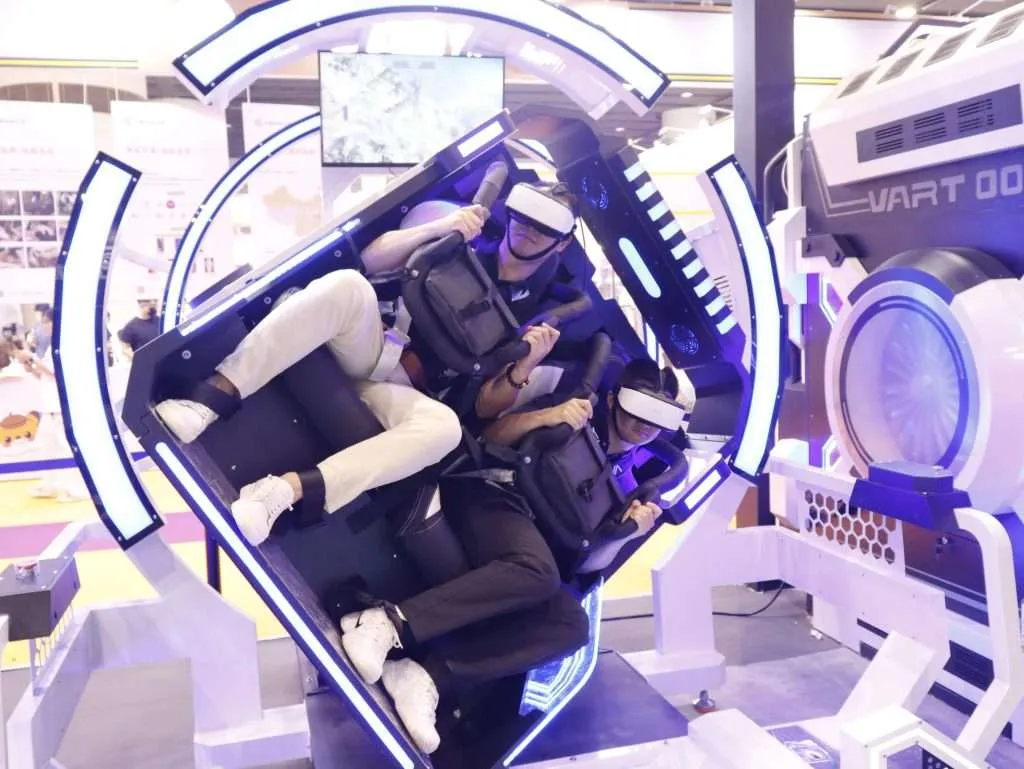
Proper Maintenance Extends Equipment Lifespan
The VR 360 Chair simulator includes moving mechanical components that require regular care.
Key Maintenance Areas
- Rotational joints
- Motor system
- Structural frame
Lubrication and Calibration
To keep motion smooth:
- Apply lubricant to moving parts regularly
- Check alignment and balance
- Calibrate motion sensors when needed
Result
- Reduced wear and tear
- Longer machine lifespan
- Lower long-term costs
Learn more about the product structure here: VR 360 Chair simulator
Clean Equipment Improves Customer Experience
Hygiene is not just about cleanliness—it’s part of the experience.
Key Cleaning Areas
- VR headset face pads
- Lenses
- Hand grips and seat surfaces
Best Practices
- Use disposable masks
- Clean between each session
- Use anti-bacterial materials
Impact
| Clean Setup | Dirty Setup |
|---|---|
| Comfortable | Unpleasant |
| Repeat customers | Negative reviews |
| Higher trust | Customer hesitation |
Clean environments also increase retention seen in VR arcade successful case studies
Regular Software Updates Ensure Smooth Gameplay
Hardware is only part of the system—software matters just as much.
Why Updates Matter
- Fix bugs
- Improve performance
- Add new content
Update Strategy
- Schedule updates during off-hours
- Test before full deployment
- Keep backup versions
Result
- Fewer crashes
- Better gameplay
- Higher customer satisfaction
Compare content impact in 5D vs VR differences guide
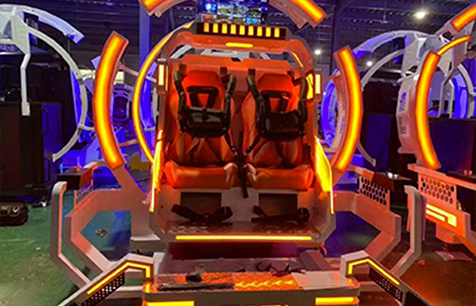
Fast Troubleshooting Minimizes Downtime
Even with good maintenance, small issues can happen.
The key is how fast you solve them.
Common Problems
- Headset not connecting
- Motion lag
- Sensor misalignment
Quick Fix Strategy
| Issue | Action |
|---|---|
| Connection error | Restart system |
| Motion issue | Check calibration |
| Display lag | Update software |
Key Principle
Fix small issues immediately before they become big ones
For layout-based efficiency, see VR arcade floor plan guide
Final Insight: Maintenance Is the Hidden Profit Engine
Many operators underestimate maintenance.
But in reality:
Maintenance = uptime
Uptime = revenue
A well-maintained VR machine:
- Runs longer
- Performs better
- Generates more income
Combine maintenance with smart setup in VR arcade startup checklist
Call to Action
Need help maintaining your VR equipment? Contact our technical support team today.
Ensure your VR arcade runs smoothly and profitably 24/7.
FAQ
How often should I maintain a VR 360 Chair?
Daily inspections and regular scheduled maintenance are recommended.
What is the most common VR simulator issue?
Connection problems and mechanical wear are the most common.
How do I clean VR headsets for business use?
Use disposable covers and anti-bacterial cleaning solutions after each session.
Can I fix VR machines myself?
Basic issues can be handled on-site, but complex problems may require technical support.
Does maintenance really affect profit?
Yes, better maintenance reduces downtime and increases revenue.