Augmented Reality vs. Virtual Reality: The Ultimate AR vs VR Comparison Guide

Key Takeaways
- Augmented reality (AR) adds digital information, objects, or interactive graphics to the user’s view of the real world, while virtual reality (VR) replaces the visible physical environment with a computer-generated immersive environment.
- Mixed reality (MR) bridges the two by allowing digital objects to understand and interact with the user’s physical surroundings.
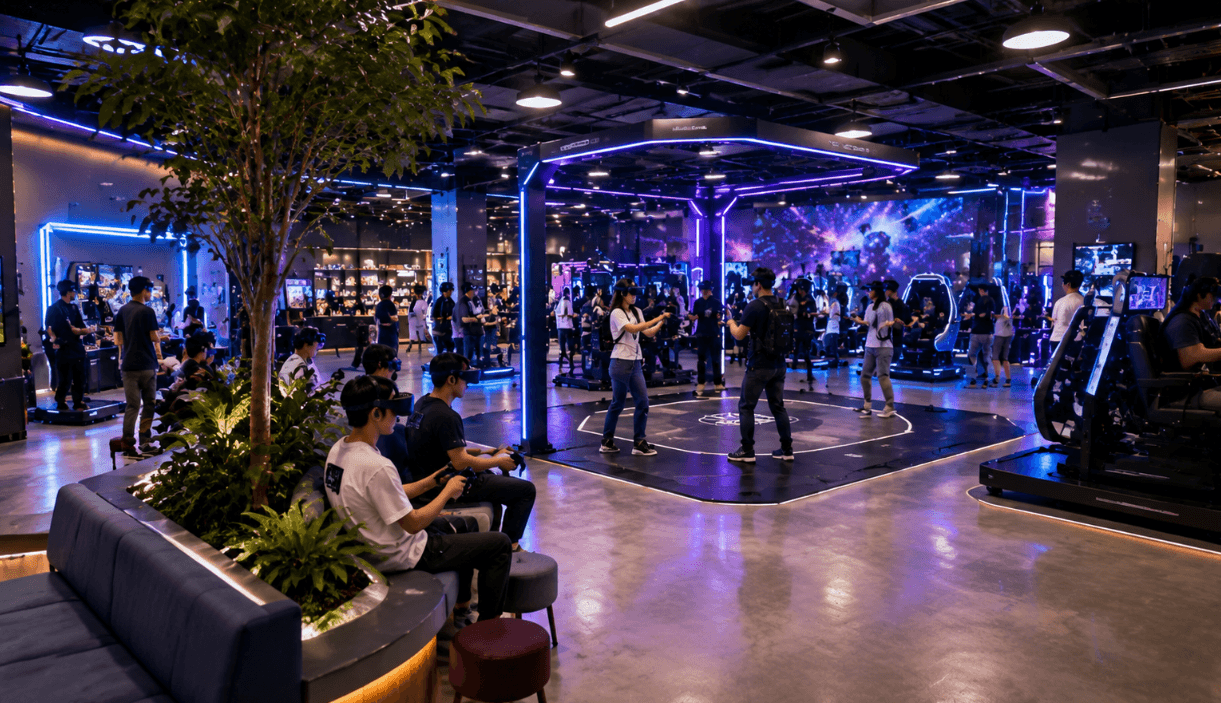
- AR generally has a lower barrier to entry because experiences can run on smartphones, tablets, or smart glasses. VR requires dedicated headsets and, for advanced commercial attractions, may also include motion platforms, tracking systems, haptic devices, and environmental effects.
- For retail visualization, navigation, product demonstrations, and industrial assistance, AR can be highly practical. For arcades, FECs, theme parks, immersive cinemas, and simulation attractions, VR generally provides a deeper sense of presence.
- The right choice is not simply augmented vs virtual reality. Commercial operators should compare audience, venue size, desired immersion, throughput, maintenance requirements, content strategy, and revenue model.
Augmented reality and virtual reality are closely related, but they create fundamentally different experiences. AR keeps users connected to the real world and adds digital information to it, while VR places users inside a digitally generated environment. Mixed reality goes further by making digital content spatially aware of the physical environment.
For commercial operators, the distinction has real financial consequences. A retail company may only need an AR application customers can access through a phone, while an entertainment center may benefit more from a complete VR attraction combining headsets, motion, multiplayer interaction, haptic feedback, and environmental effects.
So when comparing AR VR, the most useful question is not “Which technology is better?” It is:
Which technology creates the right experience for your customers and the right operating model for your venue?
Executive Summary: AR vs. VR at a Glance
AR vs. VR Quick Definition
Augmented reality (AR) overlays digital information onto the user’s real-world environment, allowing physical and virtual elements to remain visible together.
Virtual reality (VR) replaces the user’s view of the physical world with an immersive digital environment viewed through a VR headset.
Mixed reality (MR) combines both approaches, using spatial mapping and passthrough technologies so digital objects can appear anchored to and interact with the physical environment.
The simplest difference between AR and VR is therefore the relationship between digital content and reality.
With AR, reality remains the foundation.
With VR, the virtual environment becomes the foundation.
That distinction affects everything from hardware cost and field of view to user mobility and commercial applications.
What Is Augmented Reality (AR)? Definition & Core Tech
Augmented reality places computer-generated information over a live view of the physical environment.
Imagine pointing your smartphone at an empty room and seeing a virtual piece of furniture positioned on the floor. You can still see the actual walls, windows, and floor, but a digital object has been added to the scene.
That is AR.
More sophisticated systems can recognize surfaces, track movement, estimate depth, and maintain the position of digital objects as the user moves.
How AR Works
A modern AR experience usually depends on several technologies working together.
Computer vision helps the system recognize visual features, objects, surfaces, and movement.
Spatial sensing estimates the geometry and position of the user’s environment.
Motion tracking follows changes in the device’s position and orientation.
Rendering software creates digital objects in real time.
Finally, the display combines the real environment with the generated information.
For smartphone AR, the camera captures the physical environment and the screen displays the combined result.
For optical see-through smart glasses, the user looks directly at reality while transparent optics place digital imagery within the field of view.
This makes AR especially useful when the user must remain aware of the real environment.
Key AR Hardware
AR can operate across several hardware categories:
- Smartphones
- Tablets
- Optical see-through smart glasses
- Camera-equipped headsets
- Spatial sensors
- Depth cameras
- Hand-tracking systems
The smartphone is one of AR’s biggest advantages.
A business may be able to deploy an experience without asking customers to wear specialized equipment at all.
A museum, for example, could allow visitors to scan an exhibit and see an animated reconstruction on their phones.
A retailer could let customers visualize products in their own homes.
An industrial technician could use smart glasses to display maintenance instructions while still seeing the machine being repaired.
Pros & Cons of Augmented Reality
Advantages of AR include:
- Relatively low user entry barrier
- Real-world awareness remains intact
- Smartphone deployment is possible
- Useful for information overlays
- Suitable for navigation and visualization
- Strong potential for retail and education
- Easier integration into everyday activities
However, AR has limitations.
The field of view can be narrower than the user’s natural vision, especially with optical smart glasses. Bright physical environments can affect digital image visibility, and the user never becomes completely separated from surrounding distractions.
For applications where total immersion is the objective, VR usually has the stronger advantage.
What Is Virtual Reality (VR)? Definition & Core Tech
Virtual reality creates a computer-generated environment that surrounds the user’s visual field and responds to head or body movement.
A VR headset shows separate images to each eye, creating stereoscopic depth. Tracking systems continuously calculate the user’s orientation and, in more advanced systems, their physical position.
When the user turns their head, the virtual scene changes accordingly.
When the user walks forward in a 6-DOF environment, their virtual position moves with them.
The result is the psychological sensation of presence—the feeling of being somewhere else.
How VR Works
A modern VR system typically combines four major technological layers.
1. Head-Mounted Display
The HMD places displays and optical lenses directly in front of the user’s eyes.
This blocks or largely replaces the normal visual environment.
2. Positional Tracking
Three degrees of freedom, or 3-DOF, primarily tracks rotational movement.
Six degrees of freedom, or 6-DOF, adds positional movement:
- Forward/backward
- Left/right
- Up/down
- Pitch
- Yaw
- Roll
This is essential for free-roaming VR because the system needs to know where a player is within physical space.
3. Interaction
Controllers, hand tracking, weapon props, buttons, steering wheels, pedals, and other interfaces allow users to influence the virtual environment.
4. Physical Feedback
Commercial VR can extend beyond the headset through:
- Motion seats
- 6-DOF platforms
- Vibration
- Wind
- Air jets
- Heat
- Physical props
- Interactive floors or pathways
For example, VART VR’s full-sensory free-roam approach combines physical cliffs, bridges, paths, motion platforms, wind, heat, air jets, and 1:1 virtual scene replicas.
This demonstrates an important point about VR hardware vs AR hardware: advanced commercial VR can extend into the entire physical environment rather than remaining a headset-only experience.
Key VR Hardware
VR hardware can be divided into three broad categories.
Standalone VR Headsets
These devices contain processors, tracking systems, displays, and batteries within the headset itself.
They are relatively easy to deploy and do not require a dedicated gaming PC for every user.
PCVR Systems
These headsets use external computers for rendering, making higher graphical performance possible.
They may be useful where visual quality and processing complexity are priorities.
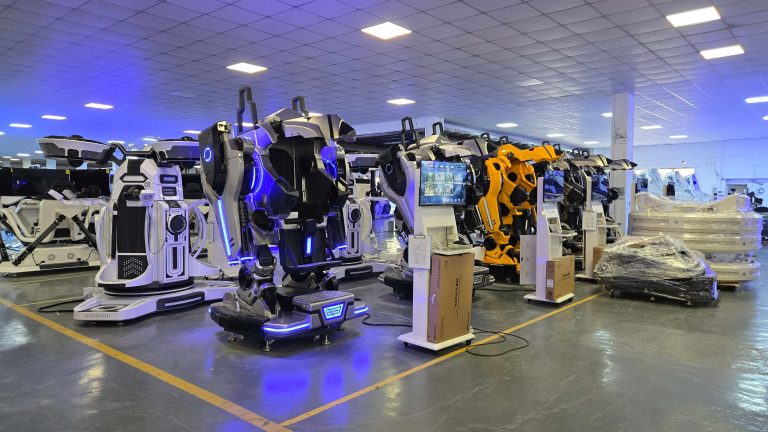
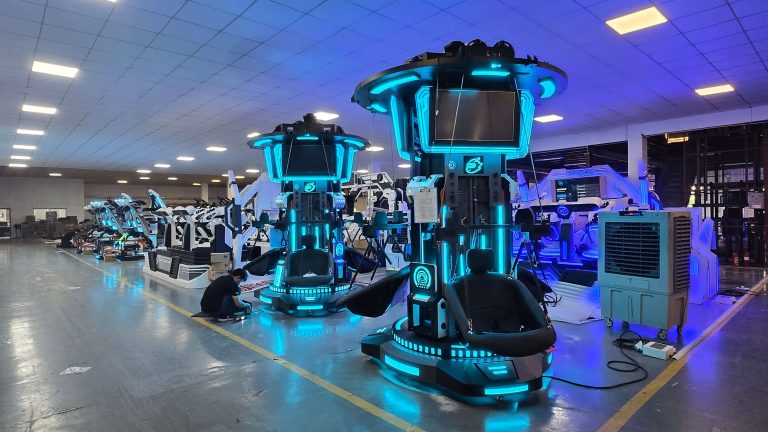
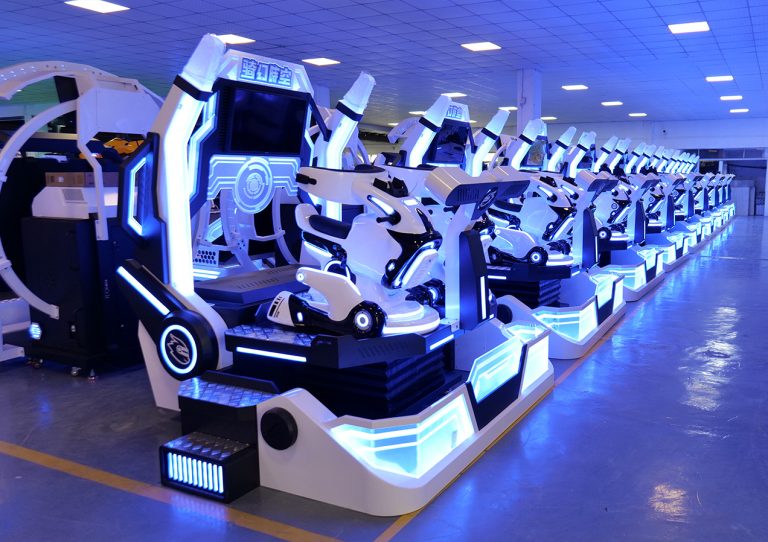
Commercial VR Simulators and Arcade Platforms
Commercial systems add another layer.
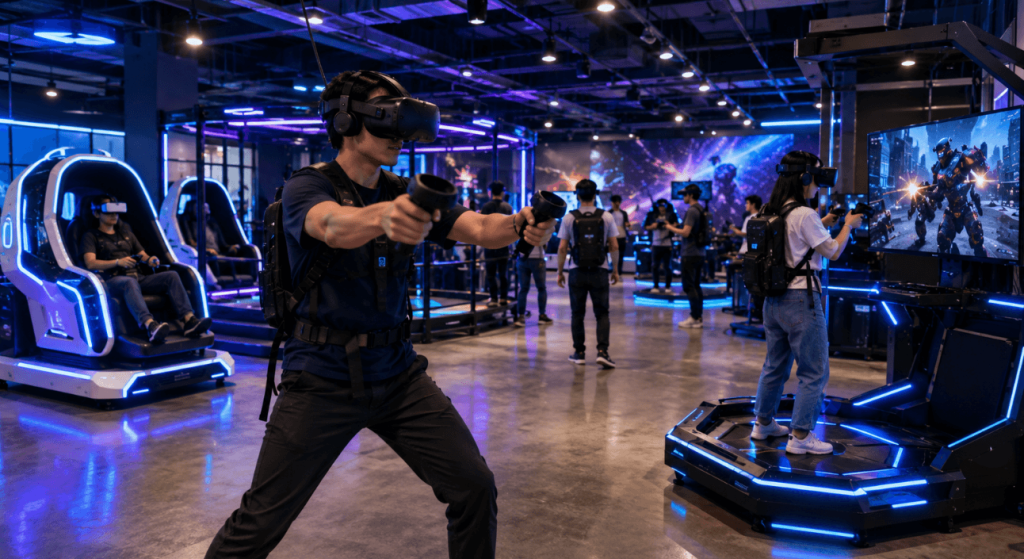
A commercial attraction may combine:
- VR headset
- Industrial frame
- Motion platform
- Racing controls
- Flight controls
- 360-degree rotation
- Haptic devices
- Multiplayer tracking
- Environmental effects
- Operator software
- Payment or venue management systems
This is why comparing the cost of an AR app with the cost of a complete VR attraction can be misleading. They solve different problems.
Pros & Cons of Virtual Reality
VR’s greatest advantage is immersion.
Users can enter environments that would be expensive, dangerous, impossible, or impractical to recreate physically.
That makes VR attractive for:
- Entertainment
- Simulation
- Training
- Education
- Tourism
- Museums
- Theme parks
- Gaming
- Experiential marketing
The trade-off is greater hardware complexity.
Operators must consider headset sanitation, tracking, hardware maintenance, staff workflows, user safety, and possible motion discomfort.
Commercial venues also need to match the intensity of the experience with their target audience.

The Bridge Between Worlds: What Is Mixed Reality (MR)?
Mixed reality sits between traditional AR and fully immersive VR.
Modern MR systems increasingly use color passthrough cameras.
Instead of looking through transparent lenses, users may view a real-time camera representation of their physical surroundings inside the headset. The system then adds digital objects to that reconstructed view.
The important development is spatial understanding.
An MR system may recognize:
- Floors
- Walls
- Furniture
- Tables
- Physical boundaries
- Hands
- People
- Objects
A virtual character could therefore appear to stand on a real table rather than simply floating somewhere within the display.
For commercial entertainment, this creates interesting possibilities.
A physical room could become part of the game.
Real props could correspond to virtual objects.
Players could remain partially aware of one another while digital elements transform the environment around them.
This is one reason the boundaries between AR, MR, and VR are becoming less rigid.
Master Comparison Table: AR vs. VR vs. MR
| Comparison | Augmented Reality (AR) | Virtual Reality (VR) | Mixed Reality (MR) |
|---|---|---|---|
| Environment | Real world + digital overlay | Primarily virtual environment | Real and digital environments blended |
| Immersion Level | Low to medium | High to very high | Medium to high |
| Hardware Needed | Smartphone, tablet, smart glasses | VR headset; commercial systems may add motion/haptics | Passthrough/spatial headset |
| Field of View | Often more limited for digital content | Wide immersive visual field | Increasingly wide, hardware-dependent |
| User Awareness | High awareness of surroundings | Reduced physical-world awareness | Partial/high awareness through passthrough |
| Relative Entry Cost | Often lower | Moderate to high depending on system | Moderate to high |
| Best Commercial Uses | Retail, navigation, museums, industrial assistance | Arcades, FECs, simulation, theme parks, immersive entertainment | Interactive exhibitions, training, hybrid attractions |
| Throughput Potential | High for phone-based experiences | Depends heavily on ride duration and capacity | Depends on hardware and experience design |
There is therefore no universal winner in augmented vs virtual reality.
The best technology depends on the experience being created.
Key Differences: A Deep-Dive Breakdown
1. Immersion and User Presence
AR asks:
How can digital information improve the environment already around you?
VR asks:
What if we could replace that environment entirely?
That leads to very different psychological experiences.
An AR museum visitor might see a dinosaur reconstructed over a fossil.
A VR museum visitor could be transported into a prehistoric environment and stand beside the dinosaur.
Both can be educational.
But their sense of presence is different.
This is particularly important in entertainment, where emotional intensity often contributes to perceived value.
A motion-based VR attraction can combine visual movement with physical motion, producing a stronger full-body experience than screen-based AR alone.
2. Hardware and Processing Requirements
Another major difference between AR and VR is the hardware ecosystem.
Basic AR can use equipment customers already own.
That lowers deployment friction.
Commercial VR attractions frequently require dedicated hardware and may need significantly more computing, mechanical, and operational infrastructure.
Consider a motion-based arcade experience.
The system may need to synchronize:
- Headset imagery
- Tracking
- Seat movement
- Game events
- Wind
- Vibration
- Audio
- Operator controls
The more sensory layers added, the more important system integration becomes.
However, that additional hardware also creates something smartphone AR usually cannot: a highly visible physical attraction capable of becoming a centerpiece inside an entertainment venue.
3. User Mobility & Interaction Dynamics
AR users can generally move naturally through the physical environment because they continue seeing it.
VR mobility requires more deliberate design.
A stationary VR simulator may keep the customer seated.
A room-scale system establishes a tracked safety area.
A free-roam arena goes further by allowing several users to physically navigate the same space.
For example, VART’s V-Task Force materials describe 1:1 virtual scenes corresponding to physical walls, cliffs, suspension bridges, ramps, pathways, buttons, and motion platforms.
This turns mobility itself into part of the attraction.
Commercial & Business Applications: Where AR and VR Create Value
For a commercial operator, technological sophistication matters only when it supports a useful customer experience or operating model.
The AR vs VR commercial application decision should therefore begin with the customer’s job, not with the technology.
VR in Entertainment, Arcades & Theme Parks
Entertainment is one of VR’s strongest applications because immersion itself is part of the product being sold.
Commercial attractions can include:
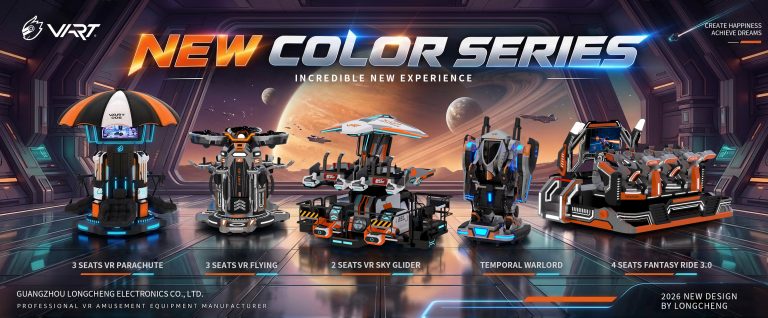
- VR racing simulators
- VR flight simulators
- 9D VR cinemas
- 360-degree VR rotating machines
- Multiplayer shooting systems
- Full-sensory free-roam arenas
- Immersive educational attractions
Motion-based systems are particularly effective when physical movement matches virtual action.
A racing simulator can reproduce acceleration, braking, cornering, and vibration.
A flight simulator can combine visual altitude changes with pitch, tilt, and airflow.
A 360-degree attraction can turn dramatic virtual movement into a visible physical spectacle.
A full-sensory arena can add teamwork and real-space interaction.
The commercial advantage is not automatically “higher ROI” simply because VR is used. Profitability still depends on equipment cost, ticket price, utilization, staffing, maintenance, local demand, and repeat visits.
But VR gives operators several revenue levers that are valuable in entertainment:
- Premium experience pricing
- Group packages
- Multiplayer tickets
- Repeatable content
- Social-media-friendly reactions
- High-visibility attraction design
VART VR project material also emphasizes the ability of a full-sensory attraction to extend visitor dwell time and encourage secondary spending through social and replay value.
AR in Retail, Industrial Training & Healthcare
AR has different strengths.
In retail, AR can reduce the gap between imagining and buying.
Customers might:
- Preview furniture at home
- Try virtual cosmetics
- Examine a 3D product
- View product specifications
- Follow interactive store navigation
Industrial applications can use AR to place instructions directly into the technician’s working environment.
Instead of repeatedly looking from a manual to a machine, the technician may see:
- Repair instructions
- Part identification
- Safety warnings
- Assembly sequences
- Remote expert annotations
Training is another natural use.
Because users remain aware of the physical environment, AR can add guidance without completely separating the trainee from real equipment.
Commercial Decision Matrix: Should Your Business Invest in AR or VR Equipment?
| Business Goal | Better Starting Point | Why |
|---|---|---|
| Add digital product visualization | AR | Customers can use existing phones/tablets |
| Improve navigation or information overlays | AR | Preserves real-world awareness |
| Create a premium ticketed attraction | VR | Stronger immersion and perceived experience value |
| Add racing or flight simulation | VR | Motion hardware can synchronize with virtual movement |
| Create a family/group entertainment attraction | VR / MR | Supports shared missions and interactive environments |
| Build an interactive museum layer | AR / MR | Adds digital information to existing exhibits |
| Transport visitors to inaccessible environments | VR | Replaces the physical environment completely |
| Assist workers around real machinery | AR / MR | Physical equipment remains visible |
| Create a visually dramatic FEC centerpiece | VR | Motion platforms and physical machines attract spectators |
For FECs, arcades, malls, and theme parks, VR is often the more natural choice when customers are paying specifically for an immersive experience.
For retailers, industrial organizations, and venues where digital information must coexist with reality, AR may make more sense.
And increasingly, the answer may be both.
Frequently Asked Questions
Is VR better than AR for entertainment and gaming?
VR generally provides deeper immersion because the headset replaces most or all of the user’s visible physical environment. This makes VR especially suitable for racing simulators, flight experiences, 360-degree attractions, free-roam games, and other entertainment formats where feeling “inside” the experience is important.
AR can still be highly effective for location-based games, interactive exhibitions, treasure hunts, and attractions where the real venue itself should remain visible.
Why is VR hardware generally more expensive than AR software?
Basic AR can run on smartphones or tablets that users already own, while advanced commercial VR may require dedicated headsets, tracking hardware, computers, controllers, mechanical motion systems, haptic devices, environmental effects, and operator software.
However, costs vary enormously. A sophisticated enterprise AR headset and custom spatial application can also represent a substantial investment.
Can AR and VR technology be combined in a single attraction?
Yes. Mixed reality and hybrid attractions increasingly combine physical spaces, passthrough imagery, spatial tracking, real props, and digital environments.
A venue might use AR before a VR experience for navigation or storytelling, then transition customers into a fully immersive VR attraction.
What is the biggest difference between AR and VR?
AR adds digital content to the real environment, while VR places the user inside a primarily digital environment.
Does AR require a headset?
No. Many AR experiences work through smartphones or tablets. More advanced AR systems may use dedicated smart glasses or spatial headsets.
Does VR always require a motion simulator?
No. VR can operate using only a headset and controllers. Commercial entertainment systems may add motion platforms, wind, vibration, haptics, or physical props to increase sensory immersion.
Is mixed reality the same as augmented reality?
They overlap, but MR usually implies deeper spatial interaction between digital content and the physical environment. Modern MR headsets can map surfaces and use passthrough cameras so digital objects appear anchored within real spaces.
Which is better for an FEC: AR or VR?
It depends on the attraction strategy. AR can work well for interactive floors, digital games, and experiences that use the existing venue. VR is often better when the operator wants a premium, ticketed attraction with strong immersion, physical motion, or multiplayer gameplay.
Conclusion & Next Steps
The debate over augmented vs virtual reality becomes much clearer once you stop treating AR and VR as competing versions of the same technology.
They solve different experience problems.
AR enhances reality.
VR replaces reality.
MR connects the two.
For retail visualization, industrial assistance, navigation, and digital overlays, AR offers accessibility and real-world awareness.
For FECs, arcades, theme parks, tourist attractions, and immersive entertainment centers, VR can go much further by combining visual immersion with motion, haptic feedback, physical interaction, and multiplayer experiences.
And the future will increasingly blur these categories. Passthrough headsets, spatial computing, real-time tracking, physical props, and 1:1 virtual-to-real environments are already pushing commercial attractions toward hybrid experiences.
For venue owners, the decision should therefore begin with four questions:
- Who is your target customer?
- What should they feel or accomplish?
- How many guests must the attraction serve?
- What revenue model will support the investment?
VART VR develops commercial VR equipment and immersive attraction solutions for arcades, FECs, shopping malls, theme parks, and other entertainment environments. If you are planning a new VR attraction or upgrading an existing venue, contact the VART VR team to discuss your available space, target audience, equipment mix, and project requirements.